Quick answer
Kling 3.0 and Kling O3 both handled our short text-to-video and image-to-video prompts, but they did not behave identically. In the text test, both produced the requested red paper boat, rain ripple, and slow camera move. Kling 3.0 made the forward movement more obvious, while O3 placed the ripple earlier and kept the shot calmer. In the image-led test, both preserved the cat well. O3 followed the requested blink more clearly; Kling 3.0 pushed the paw movement harder and introduced more motion blur near the camera.
The larger difference was workflow. Kling 3.0 is a straightforward choice when you want to start from a prompt or a first frame. O3 covers those same entry points and also accepts a reference video through its reference-to-video route. Kling 3.0 Motion Control asks for both a character image and a motion video. With our matched public inputs, the O3 reference task completed, while the Kling 3.0 Motion Control task stopped during image processing on two attempts. That is an input-and-route compatibility result, not proof that O3 has better motion quality overall.
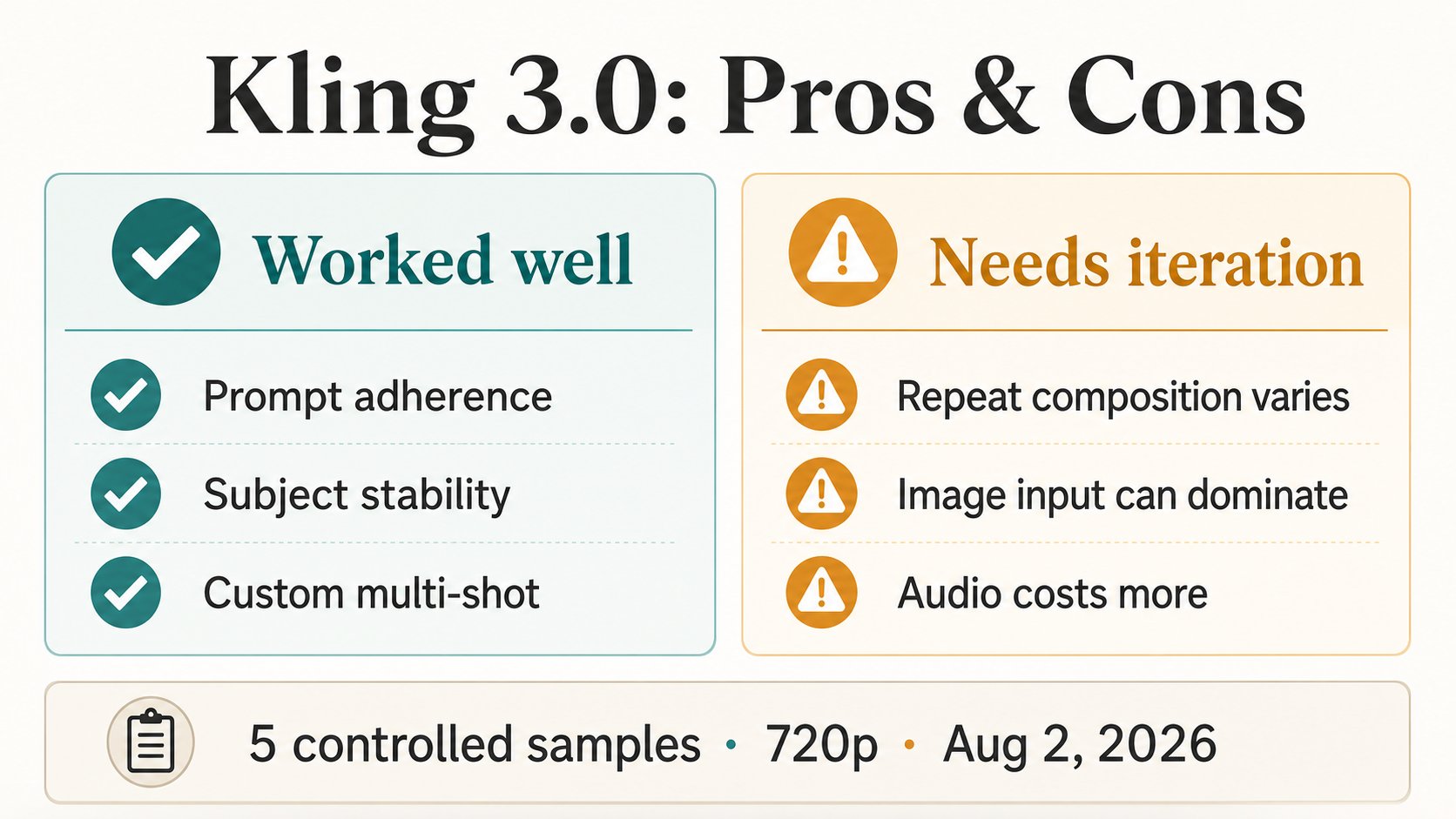
This is a small practical test, not a benchmark. The direct comparison contains four completed outputs: one Kling 3.0 and one O3 result for text to video, plus one result from each model for image to video. We also ran a matched reference-video workflow check. All completed comparison clips were five seconds, 720p, and silent. One reviewer examined exported files and contact sheets on August 4, 2026.
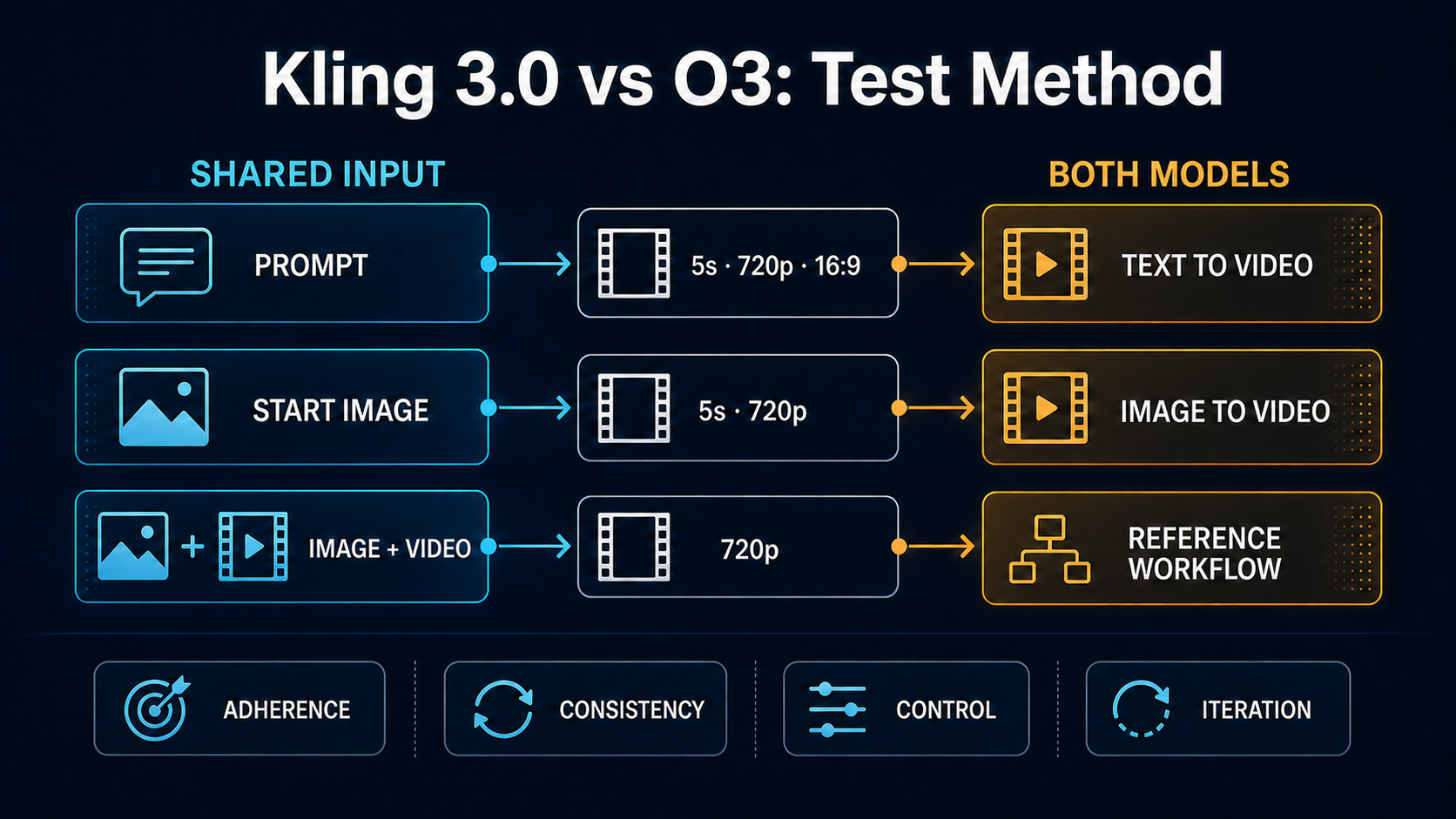
The quality comparison uses completed same-input pairs. The reference-video row records route availability and setup behavior because Kling 3.0 did not return an output for this input.
What the model names mean
The labels can be confusing because three surfaces use slightly different language. Kling AI calls the reference-oriented model VIDEO 3.0 Omni. EvoLink exposes that family through routes labeled Kling O3, including text-to-video, image-to-video, and reference-to-video variants. KlingVideo shows the choice as Kling O3 in the generator. The standard model appears as Kling 3.0 and uses the kling-v3-* routes.
This article compares the current KlingVideo workflows behind those interface labels. It does not compare every product feature available on Kling AI's own app, and it does not assume that one provider route represents every possible configuration of the underlying model.
If you need a broader feature map before looking at the samples, read the Kling O3 (3.0 Omni) features guide. The Kling 3.0 model page covers the standard model and its current controls.
Test method and inputs
We used three starting points because the choice between these models usually begins before generation: do you have only a prompt, a still image, or a motion reference?
| Test | Shared input and settings | Kling 3.0 route | O3 route | Comparison status |
|---|---|---|---|---|
| Text to video | Same paper-boat prompt, 5 seconds, 16:9, 720p, sound off | Text to Video | Text to Video | Two completed outputs |
| Image to video | Same cat image and motion prompt, 5 seconds, 720p, sound off | Image to Video | Image to Video | Two completed outputs |
| Reference video | Same cat image, cat-motion video, and intent, 720p, sound off | Motion Control | Reference to Video | O3 completed; Kling 3.0 stopped during image processing twice |
The text prompt asked for a small red paper boat moving from left to right across a rain puddle. It specified one raindrop, a circular ripple, a slow low-angle push forward, realistic water, no people, and no text. The image prompt started from a vertical photo of a cream-and-white cat. It asked the cat to raise its left front paw, blink once, and look at the camera while preserving the face, fur, paws, surrounding hands, and locked framing.
For the reference check, both routes received the same public cat image and the same five-second dancing-cat video. The route contracts are not identical. O3 Reference to Video treats the video as a feature reference and can combine it with reference images. Kling 3.0 Motion Control uses the image as the appearance source and the video as the motion source. That difference is part of the workflow comparison; it also means this row cannot be treated as a clean visual A/B when one side does not produce a clip.
We reviewed four dimensions: instruction following, subject and shape consistency, camera or motion control, and iteration cost. “Iteration cost” here means setup friction and the likelihood of needing another generation. We did not run a blind panel, inspect every frame, test sound, measure latency under controlled network conditions, or calculate a statistical success rate.
Same-input text-to-video results
Both models understood the scene. Each output contained one red paper boat on reflective rainwater. The boat moved across the frame, the camera moved closer, and a circular ripple appeared without adding people or visible text. Neither result had an obvious subject collapse in the five sampled contact-sheet frames.
Kling 3.0 made the push-in easier to see. The boat grew more noticeably from the opening to the final frame, and the late ripple created a clear finishing beat. O3 used a quieter progression. Its ripple appeared earlier, and the boat's scale changed less dramatically across the sampled frames. Both were defensible readings of the prompt, but they would cut differently in an edit.
This pair does not support a universal adherence score. It shows something more useful for planning: a specific camera instruction can land with different emphasis even when the scene itself is correct. If the timing of the ripple or strength of the push-in matters, write that timing explicitly and expect to review more than one option.
Same-input image-to-video results
The image-led pair was easier to judge because both clips began from the same cat photo. Both kept the cream-and-white face, dark eyes, chest fur, nearby hands, and vertical composition recognizable. Neither model tried to rebuild the room or replace the source image with a different scene.
O3 followed the requested blink more literally. One sampled frame showed the eyes fully closed before the cat looked forward again. The raised paw remained readable through the sequence, though the fast foreground motion still softened the paw edges.
Kling 3.0 created a larger, more forceful paw movement toward the camera. The face stayed recognizable, but the paw occupied more of the frame and showed heavier blur. We could not confirm a distinct one-time blink from the sampled frames. If the deliverable needs a specific small gesture in a fixed order, the O3 result was closer in this one pair. If the goal is a more noticeable foreground motion, the Kling 3.0 result may be easier to use.
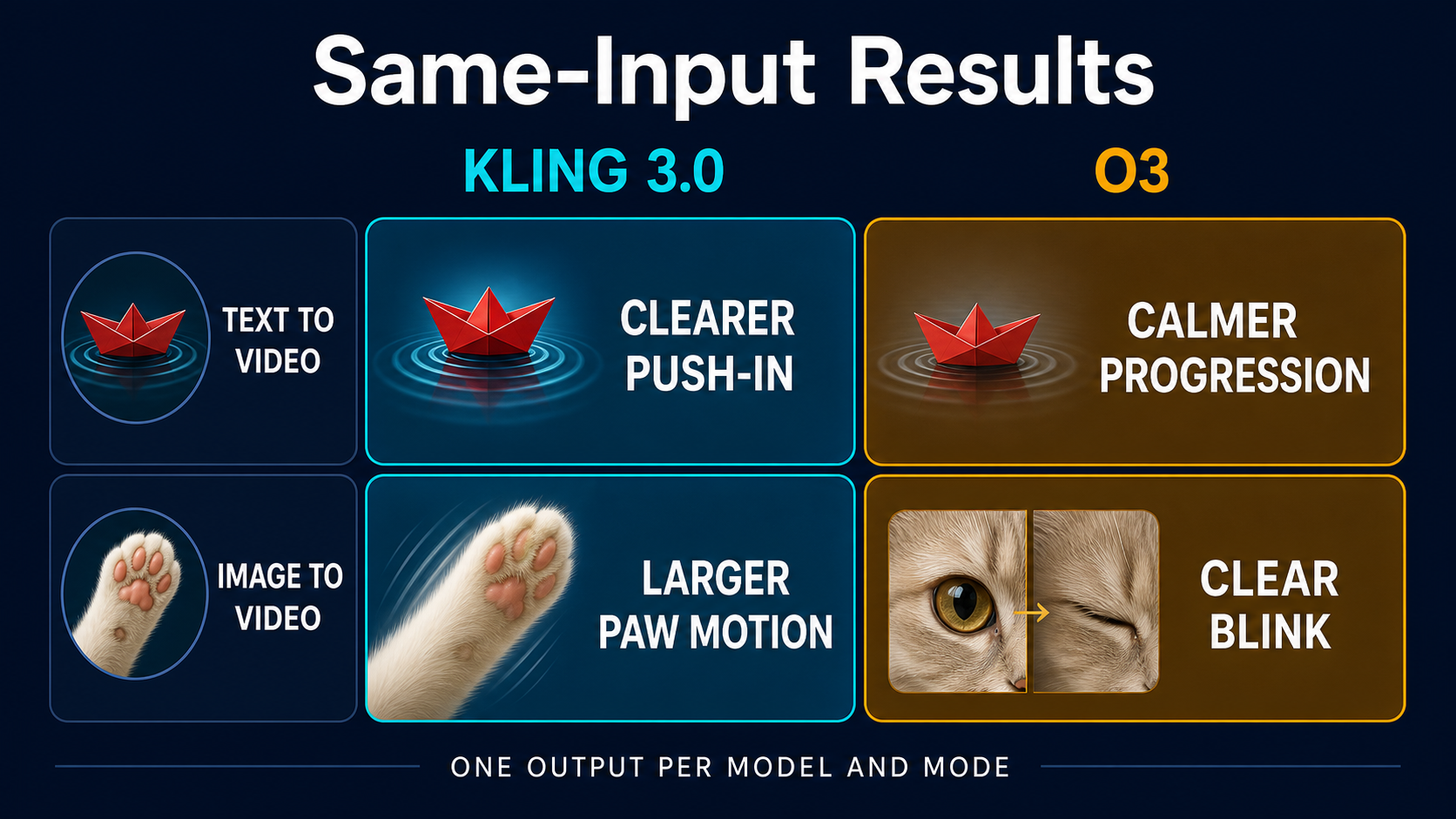
These are observations from one completed output per model and mode. They describe the samples, not a model-wide win rate.
Motion and reference-video availability
Reference video is where the workflows separate most clearly.
O3 Reference to Video accepts a video reference and can combine it with images or elements. With our matched cat image and cat-motion video, the task passed input processing and completed. The output followed the reference video's upright paw gestures and bright-room composition. It kept a cream-and-white cat, but changed some facial and coat details from the source image and replaced the original hands and sofa. That is consistent with a feature-reference workflow rather than direct editing.
Kling 3.0 Motion Control has a more specific contract: one reference image supplies the character or object appearance, and one reference video supplies the motion trajectory. On both attempts, our task stopped at 10% with an image-processing error, even though the same public image worked in image-to-video and the O3 reference task. We therefore have no Kling 3.0 motion output to score.
The practical lesson is narrow. For this input set, O3 had the shorter path from reference media to a completed clip. Kling 3.0 Motion Control needs a compatibility check before you plan a batch. It may still be the right tool when explicit motion transfer is the goal, but validate one image-video pair first. The Kling AI Motion Control fixes guide covers common input, framing, and subject problems.
Result matrix
| Dimension | Kling 3.0 in this test | O3 in this test |
|---|---|---|
| Text prompt adherence | Core scene, movement, ripple, and camera push present | Core scene, movement, ripple, and camera push present |
| Image-prompt adherence | Strong paw movement; sampled frames did not confirm the requested blink | Paw movement plus a clear blink in sampled frames |
| Subject consistency | Boat and cat stayed recognizable; closer paw motion added blur | Boat and cat stayed recognizable; foreground paw also softened during motion |
| Camera and motion emphasis | More obvious push-in and larger foreground gesture | Calmer text shot and more literal small gesture sequence |
| Reference workflow | Requires image plus motion video; this input failed processing twice | Same matched media passed processing and returned a clip |
| Best reading of the evidence | Direct prompt or first-frame work when stronger motion is useful | Direct prompt, first frame, or reference-led exploration when literal gesture order matters |
The table is deliberately descriptive. One output can reveal a failure mode or workflow constraint, but it cannot establish a stable ranking. A different subject, duration, aspect ratio, or prompt could reverse these observations.
Which model should you start with?
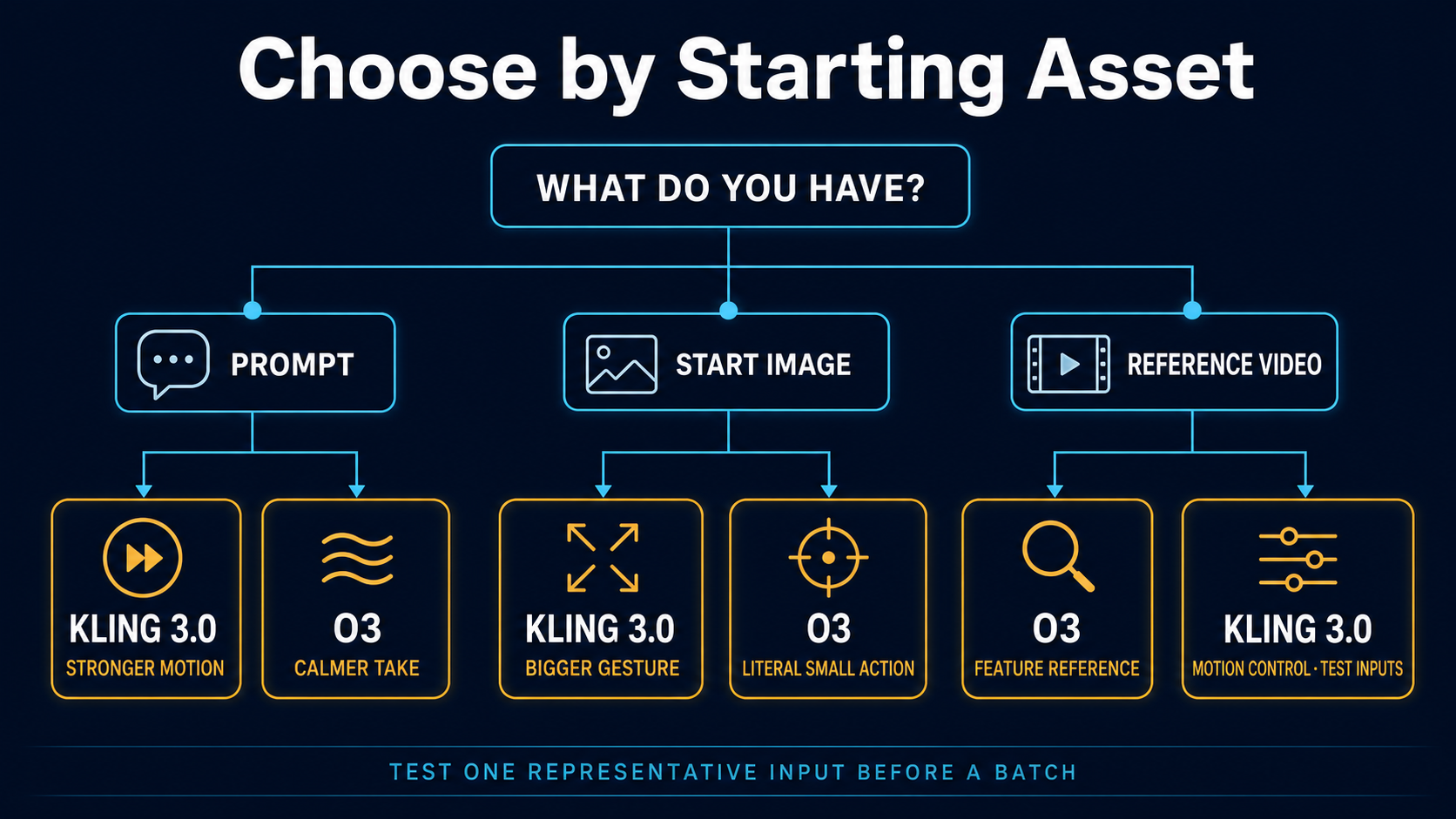
Start with Kling 3.0 text to video when you have only a written scene and want clear camera or subject motion. Keep the first prompt compact: one subject, one action, one camera instruction. Run the initial test in the text-to-video generator.
Start with image to video on either model when identity, crop, or the opening frame is already decided. In our one pair, O3 followed the blink sequence more literally, while Kling 3.0 made the foreground action bigger. Use the image-to-video generator and keep the source image close to the desired final composition.
Start with O3 Reference to Video when a video supplies the rhythm, motion style, or composition you want to explore, especially when you also need image references. Treat the result as a new generation guided by the source, not as a direct edit.
Try Kling 3.0 Motion Control when the central job is to transfer a motion trajectory onto a specific character or object. Test one pair before a batch. A valid-looking image can still fail at route-specific preprocessing, as it did here.
Best fit and weak fit in this sample
Kling 3.0 was the better fit in this test for a more visible camera push and a stronger foreground gesture. It was not the better fit for confirming the requested blink, and its Motion Control route did not accept the matched image input.
O3 was the better fit for the literal blink sequence and for getting the matched reference-media task through processing. It was not clearly better in the paper-boat shot; both models followed the scene, and the preferred result depends on whether you want a stronger push-in or a calmer progression.
Neither result set is enough to choose a default for every project. Pick the entry point that matches the asset you already have, then test the instruction most likely to break: exact gesture order, character identity, camera timing, or reference-media compatibility.
Frequently asked questions
Is Kling O3 the same as Kling VIDEO 3.0 Omni?
Kling AI uses the name VIDEO 3.0 Omni. EvoLink and KlingVideo use Kling O3 for provider routes based on that model family. The available controls can differ by surface, so check the current route rather than assuming every Omni feature is present everywhere.
Is O3 better than Kling 3.0?
Not as a general conclusion. O3 followed the blink more clearly and completed our matched reference task. Kling 3.0 gave the paper-boat shot a stronger push-in and produced a larger foreground gesture. Those are workflow-specific observations from a very small sample.
Which model should I use for text to video?
Both completed the same five-second prompt and preserved the core scene. Choose based on the motion emphasis you want, then generate more than one candidate if timing or camera strength matters.
Which model should I use with a start image?
Both preserved the cat image well. O3 was more literal about the requested blink in this pair; Kling 3.0 emphasized the paw movement. Use a source image that already has the correct crop, background, and subject details.
What is the difference between Motion Control and Reference to Video?
Kling 3.0 Motion Control explicitly uses an image for appearance and a video for motion trajectory. O3 Reference to Video uses a video as a feature reference and can combine it with images or elements. They overlap in inputs, but they are not identical operations.
Sources and limits
Kling AI's official VIDEO 3.0 vs VIDEO 3.0 Omni comparison describes the standard model as prompt-led and Omni as reference-driven. EvoLink's current documentation defines the Kling 3.0 and O3 routes used for text to video, image to video, Motion Control, and O3 Reference to Video.
The direct visual findings come from four completed 720p, five-second, sound-off outputs in two same-input pairs. The reference check used one matched image-video pair; O3 completed and Kling 3.0 stopped during image processing twice. One reviewer examined contact sheets and file metadata. We did not run repeated generations, a blind panel, audio tests, or a frame-level metric. Read this as a workflow check for these inputs, not a permanent model ranking.
Last verified: August 4, 2026.