Quick answer
Two same-input pairs gave us a split result, not a universal winner. In text to video, both models made the requested red paper boat, ripple, yellow leaf, and continuous rain-puddle shot. Kling 3.0 kept the boat closer, which made the leaf pass easy to read. Seedance 2.0 opened up the composition and gave the circular ripple more room.
In image to video, both preserved the orange-and-white cat, the darker cat, the sofa, the hands, and the pink ribbon. Kling 3.0 completed the head turn and kept the scene stable, but the requested paw lift was not clear in our sampled frames. Seedance 2.0 showed the blink, head turn, and paw lift more literally while keeping the main cat recognizable.
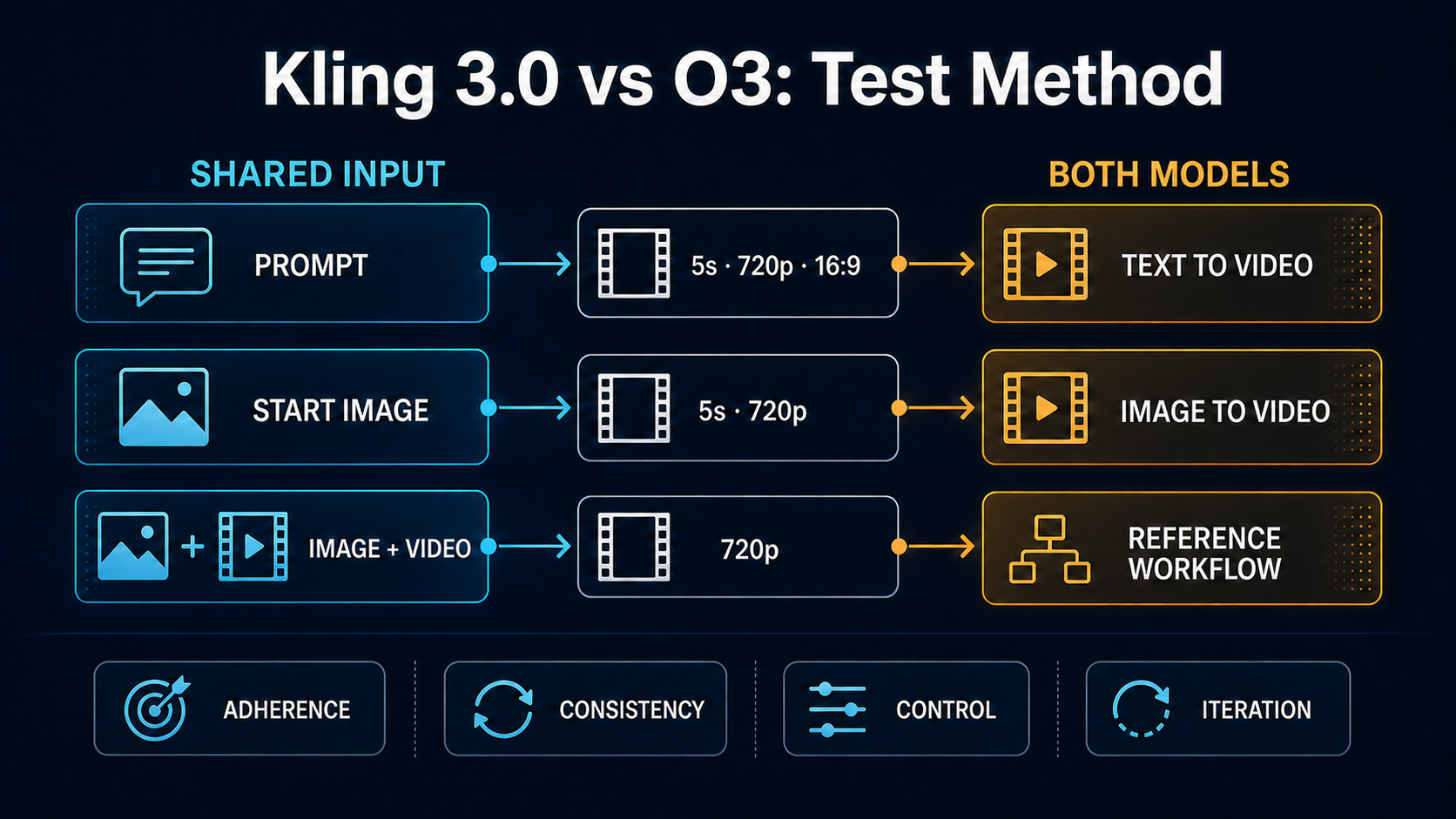
That is useful evidence for these inputs, not a model-wide ranking. The sample contains four outputs: one result per model for text to video and one per model for image to video. Every clip was requested at five seconds and 720p with audio disabled. One reviewer checked the complete clips, contact sheets, dimensions, duration, and prompt events on August 6, 2026.
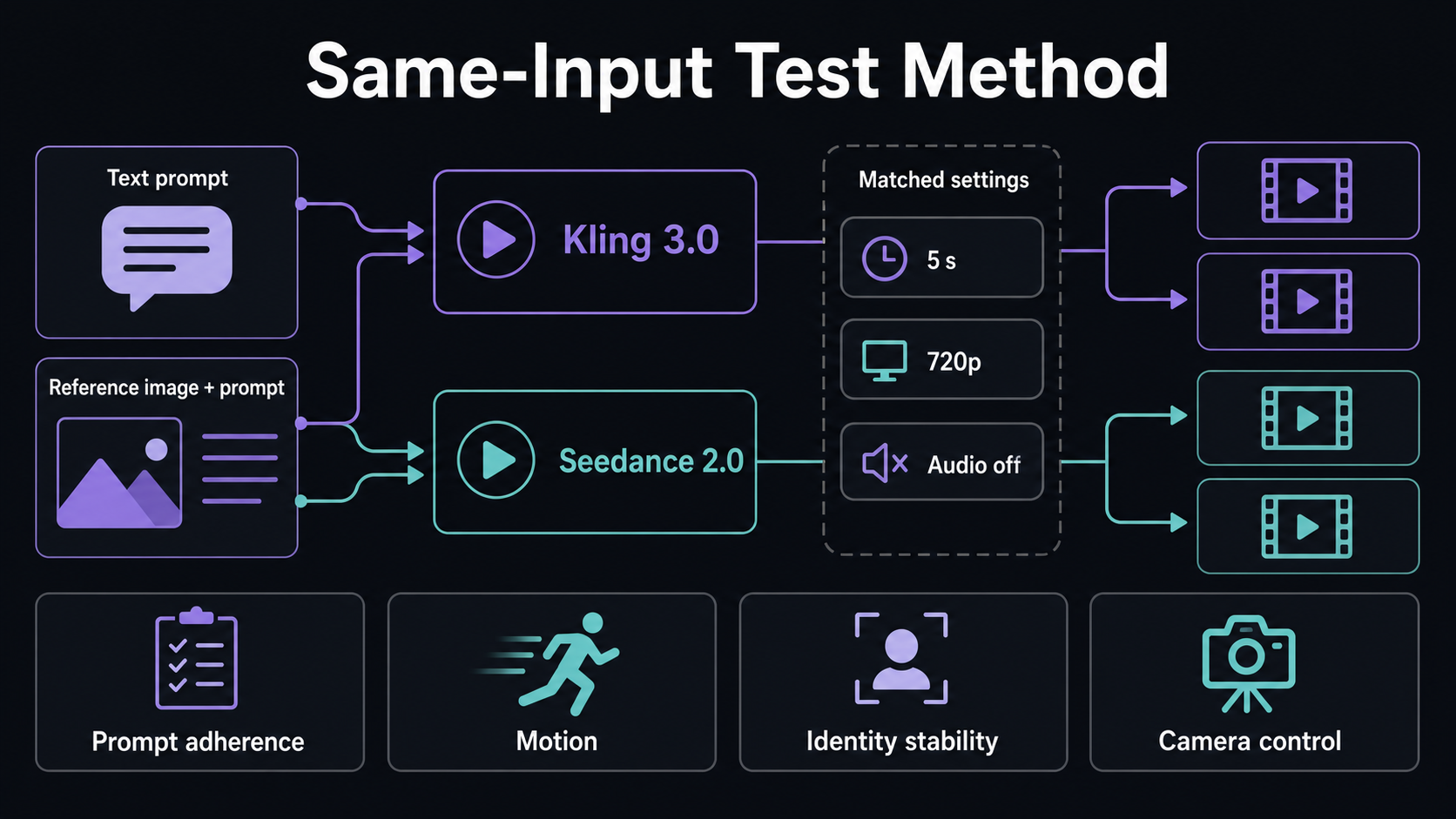
Two matched pairs reduce obvious setup differences, but one generation per model and mode is too small for a stable win rate.
What exactly did we compare?
The model name, provider route, and controls shown in a product do not always match one-to-one. Kling AI's official guide describes VIDEO 3.0 as supporting text to video, image to video, native audio, multi-shot narratives, and flexible output up to 15 seconds. ByteDance describes Seedance 2.0 as a unified multimodal audio-video model with text, image, video, and audio references.
KlingVideo currently exposes a narrower set of controls for these two tests. We used the current provider routes behind the Kling 3.0 and Seedance 2.0 choices, then matched the settings available on both routes. This article evaluates those outputs and that workflow. It does not claim to cover every feature in either model's first-party product.
For the broader Kling feature map, see the Kling 3.0 guide.
Method, inputs, and sample size
| Test | Shared input | Matched settings | Outputs |
|---|---|---|---|
| Text to video | One paper-boat prompt | 5 seconds, 720p, 16:9, audio off | 1 Kling 3.0 + 1 Seedance 2.0 |
| Image to video | Same cat image and motion prompt | 5 seconds, 720p, audio off | 1 Kling 3.0 + 1 Seedance 2.0 |
The text prompt asked for a small red paper boat floating through a shallow rain puddle. A raindrop should create concentric ripples, the boat should turn once and pass a yellow leaf, and the camera should track smoothly at water level in one continuous shot.
The image prompt started from a vertical photo showing an orange-and-white cat beside a darker cat. It asked the main cat to blink once, turn toward the darker cat, then lift a front paw. It also asked the darker cat to lean closer while preserving both cats, the pink ribbon, the hands, and the sofa.
We reviewed four practical dimensions:
- Prompt adherence: Did the requested subjects and actions appear?
- Motion: Did the action progress without an obvious collapse in the sampled sequence?
- Identity and scene stability: Did important source details remain recognizable?
- Camera control: Did framing and camera movement match the instruction?
We did not test audio, repeat each prompt across multiple seeds, run a blind panel, or calculate statistical confidence. We also did not compare price or generation speed because those can vary by provider and were not controlled here.
Text-to-video results
Both outputs captured the core scene. Each showed one red paper boat on reflective rainwater with natural overcast light, a visible ripple, and a yellow leaf. Neither added people or visible text. Both clips remained continuous rather than cutting to a second scene.
Kling 3.0 framed the boat closer for most of the sequence. The boat turned as the yellow leaf entered prominently, and the camera remained near water level. The close framing made the subject and leaf interaction easy to inspect. The ripple appeared later and shared attention with the leaf.
Seedance 2.0 placed the boat in a wider puddle. The circular ripple occupied more of the frame and was easy to identify. The yellow leaf arrived later at the right side, while the boat stayed smaller and the camera movement felt more restrained.
For this pair, Kling 3.0 was the clearer choice if the edit needed a close subject and an obvious leaf pass. Seedance 2.0 was the clearer choice if the ripple and surrounding environment mattered more. Both followed the prompt well enough to use; they simply emphasized different events.
Image-to-video results
The shared start image made deviations easier to see. Both models retained the main cat's cream-orange face, white chest, dark eyes, pink ribbon, nearby hands, and the darker cat in the background. The portrait composition stayed close to the source in both clips.
Kling 3.0 kept the first part of the clip very close to the still image, then made the main cat turn sharply toward the darker cat. The darker cat moved closer near the end. The head turn was clear, but the requested blink and deliberate front-paw lift were not clear in the five one-second samples. The final motion also softened facial detail slightly.
Seedance 2.0 showed a clear blink early, followed by the head turn. The main cat lifted a front paw near the end while the rest of the scene stayed recognizable. The darker cat barely leaned forward, though, so one requested action was still weak.
In this one image-led pair, Seedance 2.0 completed more of the ordered gesture sequence. Kling 3.0 preserved a calmer opening and delivered a stronger head turn toward the second cat. If a small action must happen in a precise order, test that sequence explicitly and generate more than one candidate.
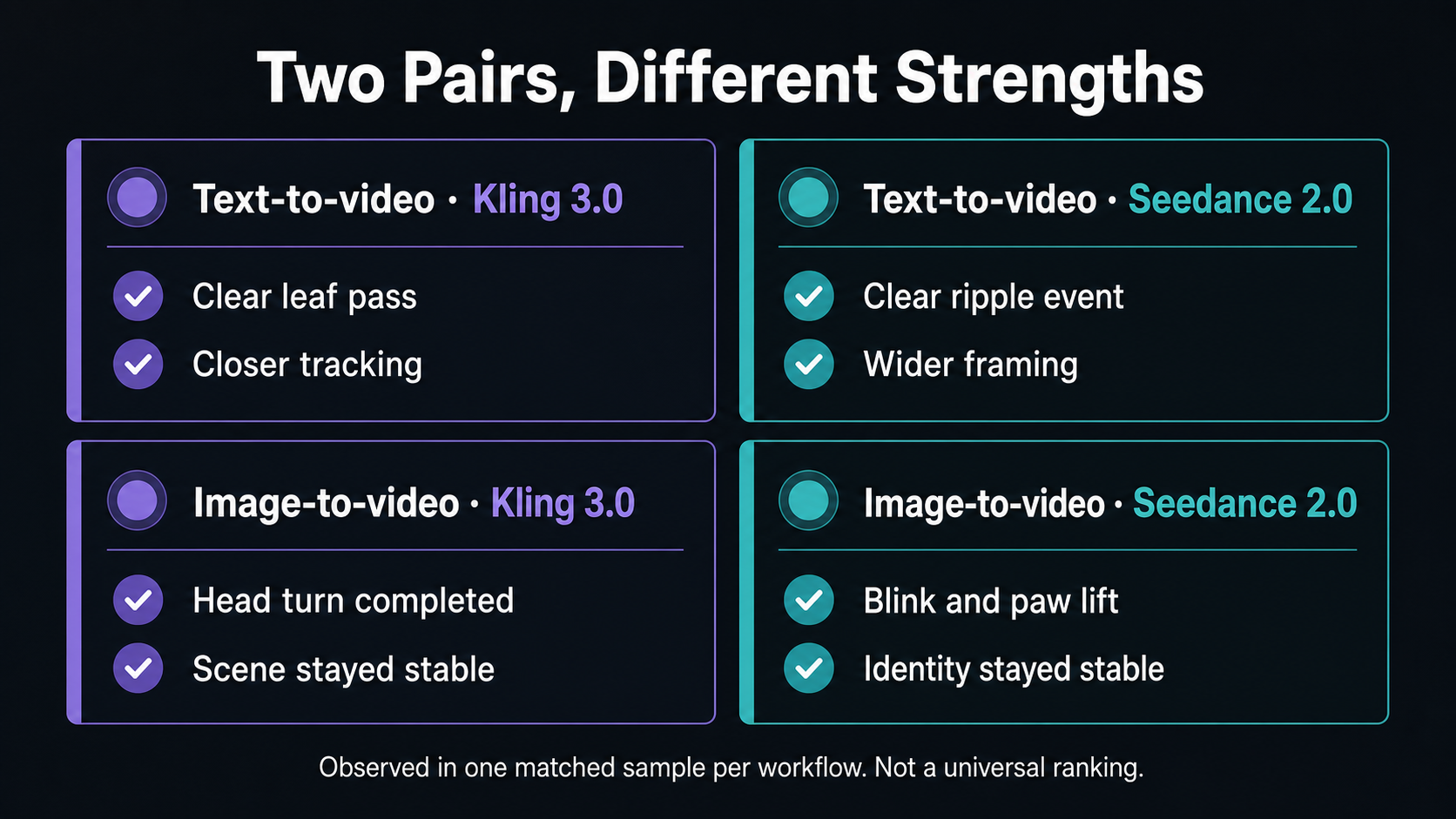
The matrix records visible events in these four outputs. It is not a general quality score.
Camera, consistency, and multi-shot control
Neither prompt requested a cut, so the four outputs should be read as single-shot checks. Kling 3.0 kept the text subject larger and more central. Seedance 2.0 gave the paper boat more environmental space. In the cat pair, both kept the vertical crop and core identity details recognizable through the action.
Officially, both model families go beyond this small test. Kling's VIDEO 3.0 guide documents automatic and custom multi-shot controls. ByteDance describes Seedance 2.0 as supporting multimodal references and 15-second multi-shot audio-video output. Those claims describe first-party capability. The exact controls available through a provider or inside KlingVideo may differ, so check the current generator before planning a batch.
Those layers are easy to mix up. A model may support a feature while a specific route exposes only part of it. Keep three questions separate: what the model family can do, what the current provider accepts, and what the product interface lets you configure.
Sound, aspect ratio, duration, and iteration
Audio was disabled to keep the visual comparison focused. The current KlingVideo controls let both tested choices generate synchronized sound, but sound quality needs its own prompt and review criteria. Nothing in these silent samples supports an audio conclusion.
Both tested workflows accepted five-second, 720p output. The text pair used 16:9. The image pair followed the portrait reference image, producing nearly identical vertical dimensions. Kling 3.0 currently exposes 16:9, 9:16, and 1:1 for text generation. Seedance 2.0 exposes those ratios plus additional options, including adaptive framing. Availability can change by route.
The most practical difference here was iteration target. For the text pair, both models got the scene right, so the next prompt should tighten event timing and camera distance. For the image pair, the next iteration should focus on missing gestures: the paw lift for Kling 3.0 and the darker cat's lean for Seedance 2.0.
For better input structure, use the Kling AI Prompt Guide. Before animating a still, run through the Image-to-Video Guide.
Best fit and weak fit in these samples
| Workflow need | Better fit in this sample | Why | Caution |
|---|---|---|---|
| Close paper-boat framing and visible leaf pass | Kling 3.0 | Subject stayed larger; leaf interaction was easy to read | Ripple received less emphasis |
| Wide puddle context and prominent ripple | Seedance 2.0 | Ripple and environment occupied more of the frame | Boat and leaf interaction was less close |
| Ordered blink, turn, and paw gesture | Seedance 2.0 | More requested actions appeared in sequence | Second cat's lean was subtle |
| Strong turn toward the second cat | Kling 3.0 | Head turn and late interaction were obvious | Paw lift was not confirmed |
Kling 3.0 was not the best fit here when literal completion of every small cat gesture mattered. Seedance 2.0 was not the best fit when close paper-boat framing mattered. Neither limitation should be treated as permanent. A new prompt, seed, duration, or reference image may change the result.
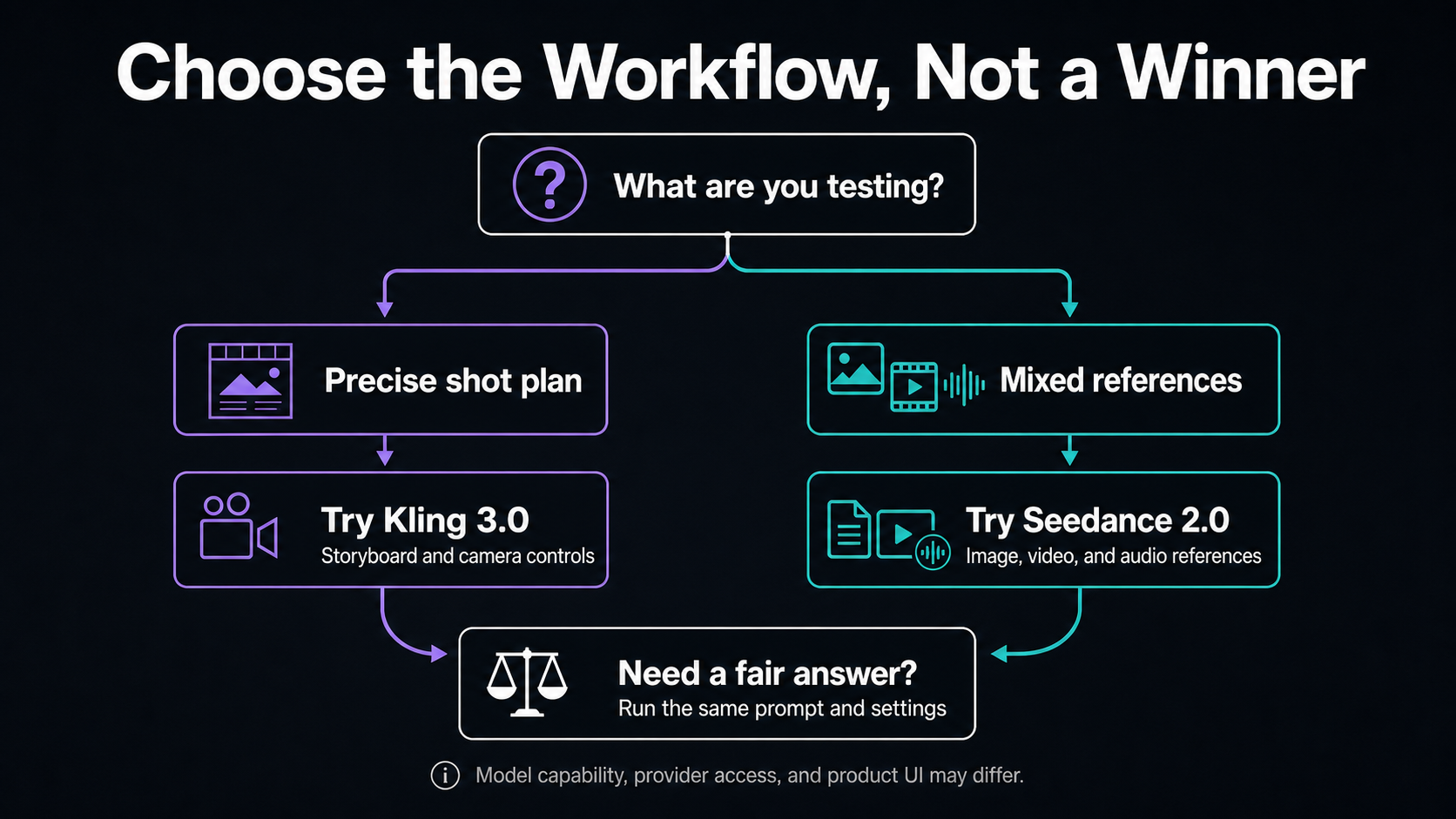
How to start your own comparison
Choose one deliverable, not a vague quality goal. Write down the event most likely to fail, such as a hand action, camera move, subject identity, or shot transition. Then keep the prompt, duration, resolution, aspect ratio, and audio setting matched where the routes allow it.
Review the full clips, not only thumbnails. Record missing actions and unwanted changes before rewriting the prompt. One pair can help you choose the next test, but repeated samples are needed before setting a production default.
You can start with the Kling 3.0 generator. Check current usage options on the Pricing page before running a larger batch.
Frequently asked questions
Is Kling 3.0 better than Seedance 2.0?
Not as a general conclusion. Kling 3.0 emphasized close framing and the leaf pass in our text sample. Seedance 2.0 completed more of the ordered cat gestures in our image sample. Two pairs are enough to discuss these outputs, not enough to rank the models overall.
Which model followed the text prompt better?
Both captured the boat, puddle, ripple, leaf, overcast light, and continuous shot. Kling 3.0 made the close boat-and-leaf moment clearer. Seedance 2.0 made the ripple and wider setting clearer. The preferred result depends on the edit.
Which model preserved the reference image better?
Both kept the main cat, darker cat, ribbon, hands, sofa, and portrait composition recognizable. Seedance 2.0 completed more requested gestures. Kling 3.0 stayed closer to the still image early in the clip and produced a strong head turn later.
Did you compare audio, price, or speed?
No. Audio was disabled, pricing varies by surface, and generation timing was not measured under controlled conditions. This comparison makes no winner claim in those areas.
How many samples were tested?
Four outputs in two matched pairs: two text-to-video outputs and two image-to-video outputs. Each model contributed one output per workflow.
Sources and methodology
Kling AI's official VIDEO 3.0 Model User Guide documents its text, image, native-audio, multi-shot, and duration capabilities. ByteDance's Seedance 2.0 launch page describes its multimodal inputs, control, audio, and multi-shot output. Current provider contracts were checked against EvoLink's Seedance 2.0 text-to-video and image-to-video documentation, plus the current Kling 3.0 routes used by KlingVideo.
The visual findings come from four completed outputs generated on August 6, 2026. Requested settings were five seconds, 720p, and audio off. The text pair used 16:9; the image pair followed the portrait reference. One reviewer examined the full clips and five one-second contact-sheet frames from each clip. No repeated seeds, blind panel, audio review, latency benchmark, or statistical test was used.
Last verified: August 6, 2026.