Quick answer
Use Kling 3.0 to generate short source clips in 9:16, then assemble and finish them in an editor before publishing. Start with the first visual beat. Keep faces, products, and any text inside the center of the frame because platform controls can cover the top, bottom, and right edge. The current KlingVideo text-to-video setup supports 9:16, durations from 4 to 15 seconds, 720p or 1080p, and sound on or off. A six-shot plan lets you replace one weak moment without rebuilding the whole Reel or Short.
TikTok, Instagram Reels, and YouTube Shorts can all use vertical video, but their upload and classification rules are not identical. Build a clean 9:16 master, preview it in each app, and make platform-specific caption, cover, music, rights, and publishing decisions at handoff.
Start with a hook-first 9:16 plan
Write the opening frame before the rest of the prompt. On a swipe feed, the first shot needs a clear subject and a visible change. A hand enters the frame. A sealed package opens. A quiet room fills with colored light. Each gives the viewer something to notice before the swipe. "Cinematic product video" is too vague to plan around.
For a 20 to 30 second edit, generate several compact clips instead of stretching one prompt. KlingVideo currently allows 4 to 15 seconds per Kling 3.0 text-to-video generation. That range works well for source shots, but the final post still needs editorial timing, captions, music, and a platform preview.
| Beat | Job in the edit | What to put in the prompt |
|---|---|---|
| Hook | Stop the swipe | Subject, immediate action, tight framing |
| Context | Explain where we are | Location, time, one visual detail |
| Action | Deliver the main movement | One clear action and camera behavior |
| Proof | Show the useful detail | Close-up, readable result, steady camera |
| Payoff | Resolve the setup | Reaction, reveal, before-and-after state |
| End frame | Leave room for the edit | Stable subject, clean composition, short hold |
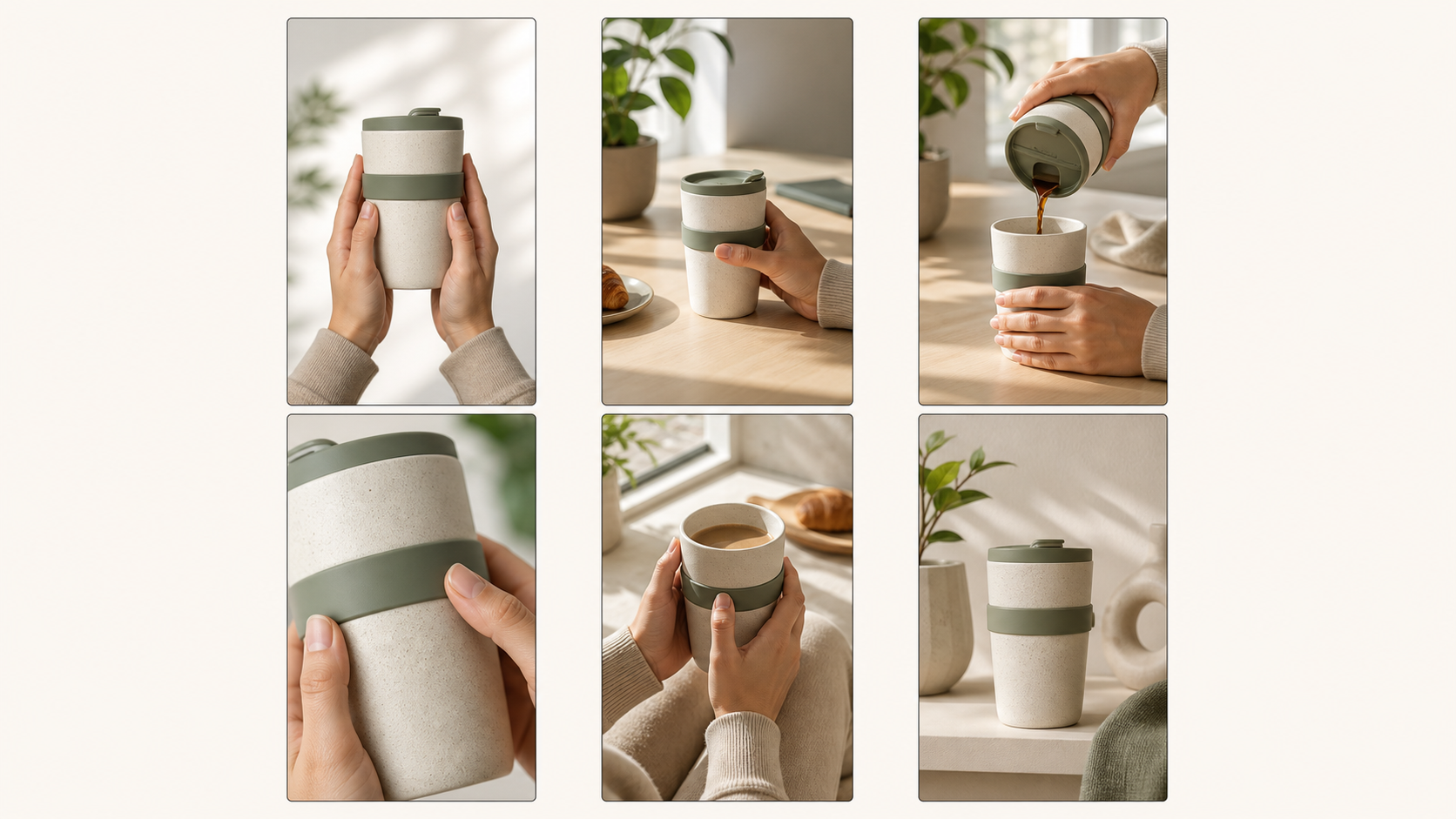
Six-shot template: plan one visual job per 9:16 clip, then set the pace in the edit.
A prompt formula for vertical clips
Use this order:
9:16 vertical composition + subject and setting + first visible action + camera behavior + lighting + final frame + sound role
Example:
9:16 vertical video. A ceramic travel cup sits on a sunlit kitchen counter. Start on an extreme close-up of condensation, then a hand lifts the cup as the camera pulls back to reveal the morning table. Soft window light, natural texture, restrained handheld movement. Finish with the cup centered and still for one second. Gentle room tone and a quiet lid click.
If you want text on screen, add it in the editor. Generated lettering can change between frames, and every platform adds its own interface around the video.
Keep the subject inside a practical safe area
TikTok's official creative guidance recommends 9:16, at least 720p, and keeping important content inside the UI safe zone. Instagram accepts Reels between 1.91:1 and 9:16 and specifies at least 720 pixels and 30 frames per second. YouTube classifies square or vertical uploads up to three minutes as Shorts under its current rules.
Those rules tell you what can be uploaded. They do not give one permanent pixel rectangle that works across every app, device, caption length, and interface update. Use a conservative center-safe composition:
- Keep faces, product labels, and the main action away from the top and bottom edges.
- Leave breathing room on the right for action controls.
- Place subtitles after generation and preview long lines on a real phone.
- Check the cover crop separately. A good in-feed frame may crop poorly on a profile grid.
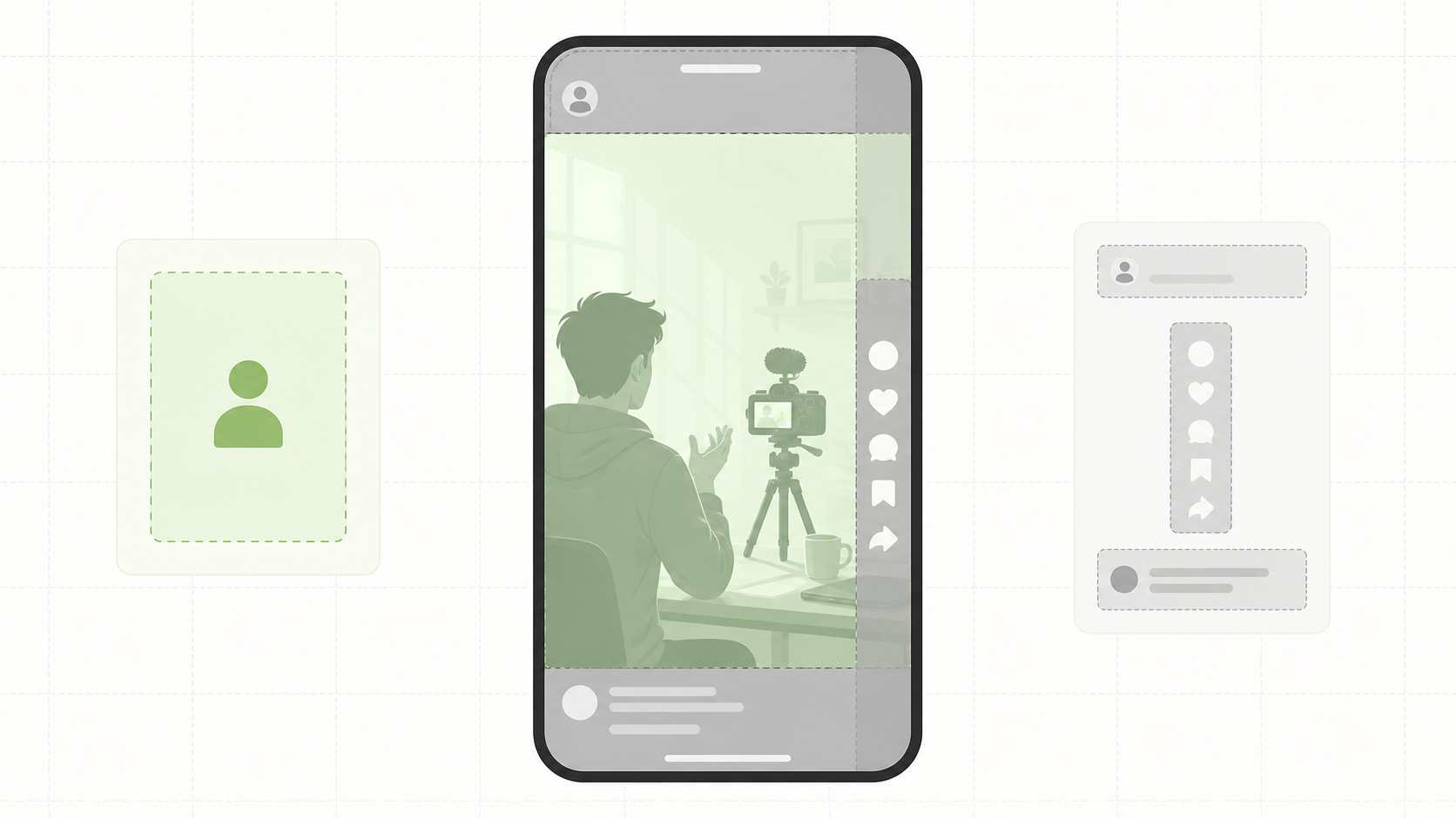
Practical safe-area guide: keep the subject and essential details in the open center, then verify the current platform preview before posting.
Frame for vertical space from the start
Choose 9:16 in the generator instead of cropping a wide composition later. A prompt can help: "full body visible with space above the head," "product centered in the middle third," or "camera tracks vertically without cutting off the hands." The exact wording depends on the shot, but it should describe what must remain visible.
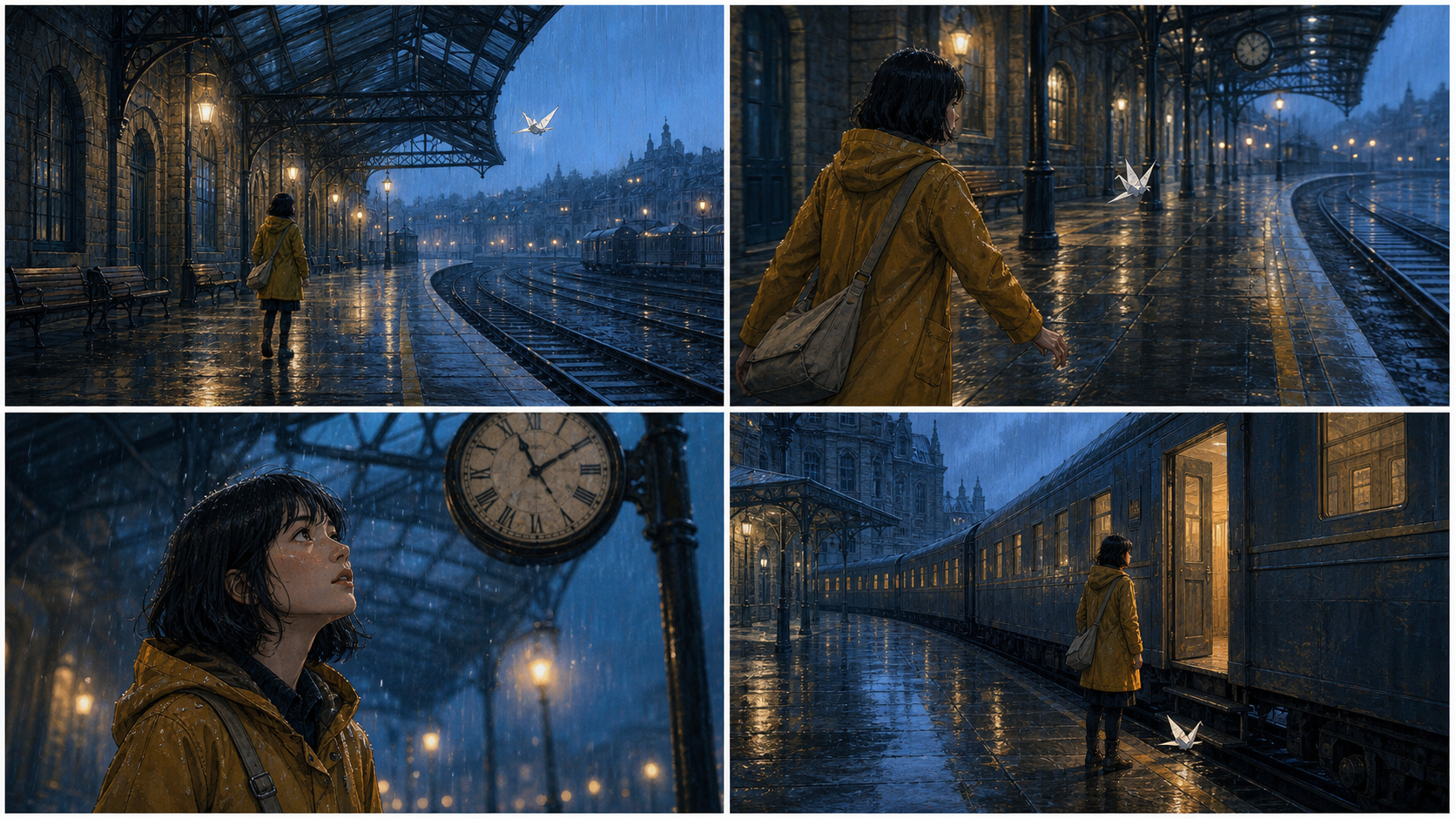
The existing KlingVideo vertical Multi-Shot sample is 1088 by 1920 and shows how a tall frame can preserve a centered subject while changing shot scale. It supports the framing and shot-order workflow described here. It does not measure reach, retention, or one platform's ranking system.
KlingVideo vertical sample. Prompt: "Plan a compact multi-shot scene with a clear opening, camera transition, subject action, and final hold so each cut has a purpose."
Build prompts for TikTok, Reels, and Shorts
Describe the source shot in the generation prompt. Let the publishing platform shape the edit instead of stuffing unsupported performance claims into the prompt.
TikTok source clip
9:16 vertical close-up. A barista places a bright citrus drink on a stainless counter and twists the glass so condensation catches the light. Start immediately on the hand entering frame. Quick push-in, natural cafe sound, clean centered end frame.
TikTok's current business guidance favors vertical framing, sound, safe-zone awareness, and an early hook. Treat those as creative starting points, not a guarantee of performance.
Instagram Reels source clip
9:16 vertical lifestyle shot. A designer opens a sketchbook beside a finished lamp, then tilts the page toward the camera to reveal the first drawing. Soft studio daylight, smooth half-orbit camera move, restrained pace, one-second hold on the sketch and lamp together.
Reels can accept other aspect ratios, but a full-height 9:16 master avoids wasting the mobile frame. Keep text and cover design in the editing step.
YouTube Shorts source clip
9:16 vertical demonstration. A compact camping filter starts beside cloudy water. The hand connects each part in a clear sequence, then fills a clean cup. Fixed overhead camera, crisp daylight, each action fully visible, final comparison held for one second.
YouTube's current Shorts rules allow square or vertical videos up to three minutes. Kling 3.0 generates shorter source clips, so longer Shorts need several generations, licensed or original supporting media, and an edit.
Fix common vertical-video failures
| Problem | Likely cause | Change for the next attempt | Evidence basis |
|---|---|---|---|
| Face or product is covered | Subject sits near interface edges | Reframe toward the center and add margin | Platform safe-zone guidance |
| The opening feels slow | Prompt spends time establishing the scene | Put the first action in sentence one | TikTok hook guidance and editorial review |
| Hands or feet leave frame | Prompt asks for motion without framing limits | State the body parts that must stay visible | KlingVideo prompt workflow |
| Generated text flickers | Lettering changes across frames | Add text in the editor after generation | Output review workflow |
| Six clips feel unrelated | Style, subject, or light changes between prompts | Reuse an anchor description and shot list | KlingVideo first-party workflow |
| Export looks soft | Low-resolution source or repeated cropping | Generate at the needed quality and avoid scale-heavy crops | Current product and platform specs |
Hand off one clean vertical master
Before uploading, export one clean 9:16 master. Make platform-specific versions only when you need a different cover, caption layout, audio treatment, or crop. Keep account handles, interface graphics, and platform watermarks out of the source master.
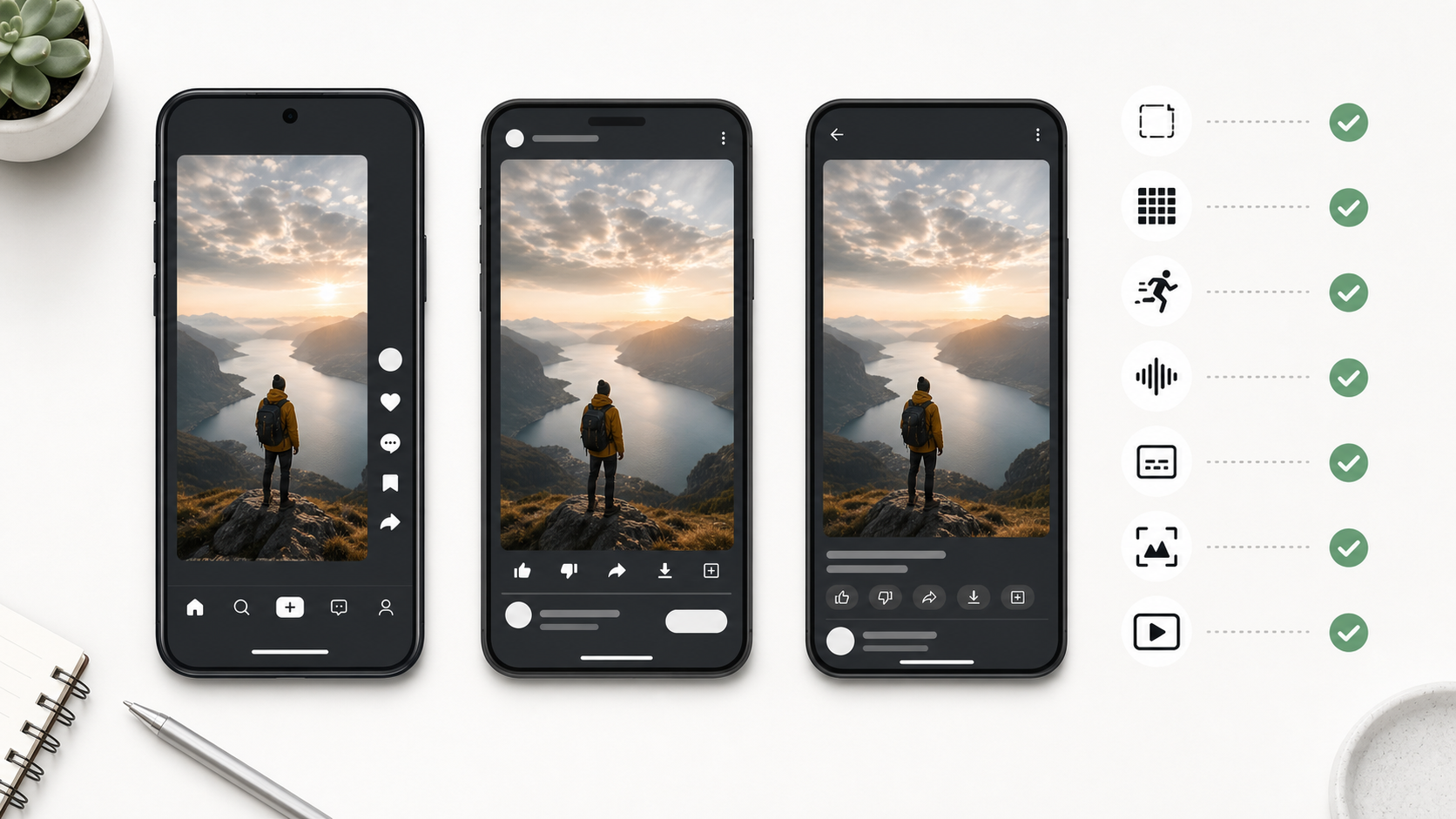
Delivery check: verify the 9:16 frame, resolution, frame rate, sound, captions, cover crop, and final in-app preview.
Use this final pass:
- Confirm the file is vertical and the subject is clear at phone size.
- Watch once with sound and once muted.
- Check captions against the interface and keep lines short.
- Review the cover crop and opening frame.
- Confirm you have rights to music, voices, images, logos, and people shown.
- Upload as a draft where available and inspect the current app preview.
FAQ
Can Kling 3.0 generate a complete TikTok, Reel, or Short?
It can generate the visual source clips. The current KlingVideo setup produces clips from 4 to 15 seconds. A complete post may also need assembly, captions, music, a cover, rights review, and platform-specific publishing work.
Should I choose 720p or 1080p?
Instagram and TikTok official guidance supports at least 720p in the sources checked for this guide. Use 720p for fast drafts and 1080p when the final composition needs more detail or cropping room. Preview the exported file before publishing.
Is 9:16 required for all three platforms?
No. Instagram accepts a wider ratio range, and YouTube can classify square or vertical uploads as Shorts. A 9:16 master is the most practical shared canvas for full-screen mobile delivery.
Where should captions go?
Keep them inside the central area, above bottom navigation and away from right-side controls. Add captions in the editor or platform tool, then check them in the current app preview.
Will this workflow improve reach?
It improves production consistency and reduces framing mistakes. Reach depends on the topic, opening, edit, audience response, account history, distribution, and platform systems. This guide does not promise ranking or engagement.
Create the first 9:16 source clip
Open the Kling 3.0 text-to-video generator, choose 9:16, and generate the hook as a standalone shot. Use the video settings guide to choose duration and resolution, then refine camera language with the camera movement prompt guide.
Sources and methodology
- Kling VIDEO 3.0 Model User Guide, Kling AI, accessed August 20, 2026. Used for official model duration and capability context.
- Creative best practices for performance ads, TikTok for Business, updated June 2025, accessed August 20, 2026. Used for 9:16, 720p, safe-zone, sound, and hook guidance.
- Reel size and aspect ratios on Instagram, Instagram Help Center, accessed August 20, 2026. Used for aspect ratio, minimum resolution, and frame-rate specifications.
- Understand three-minute YouTube Shorts, YouTube Help, accessed August 20, 2026. Used for current square or vertical classification and duration rules.
- KlingVideo current product configuration and the embedded vertical Multi-Shot sample, checked August 20, 2026. Used for the available 9:16, 4 to 15 second, 720p or 1080p workflow and a visible first-party framing example.
Last verified: August 20, 2026.