Quick answer
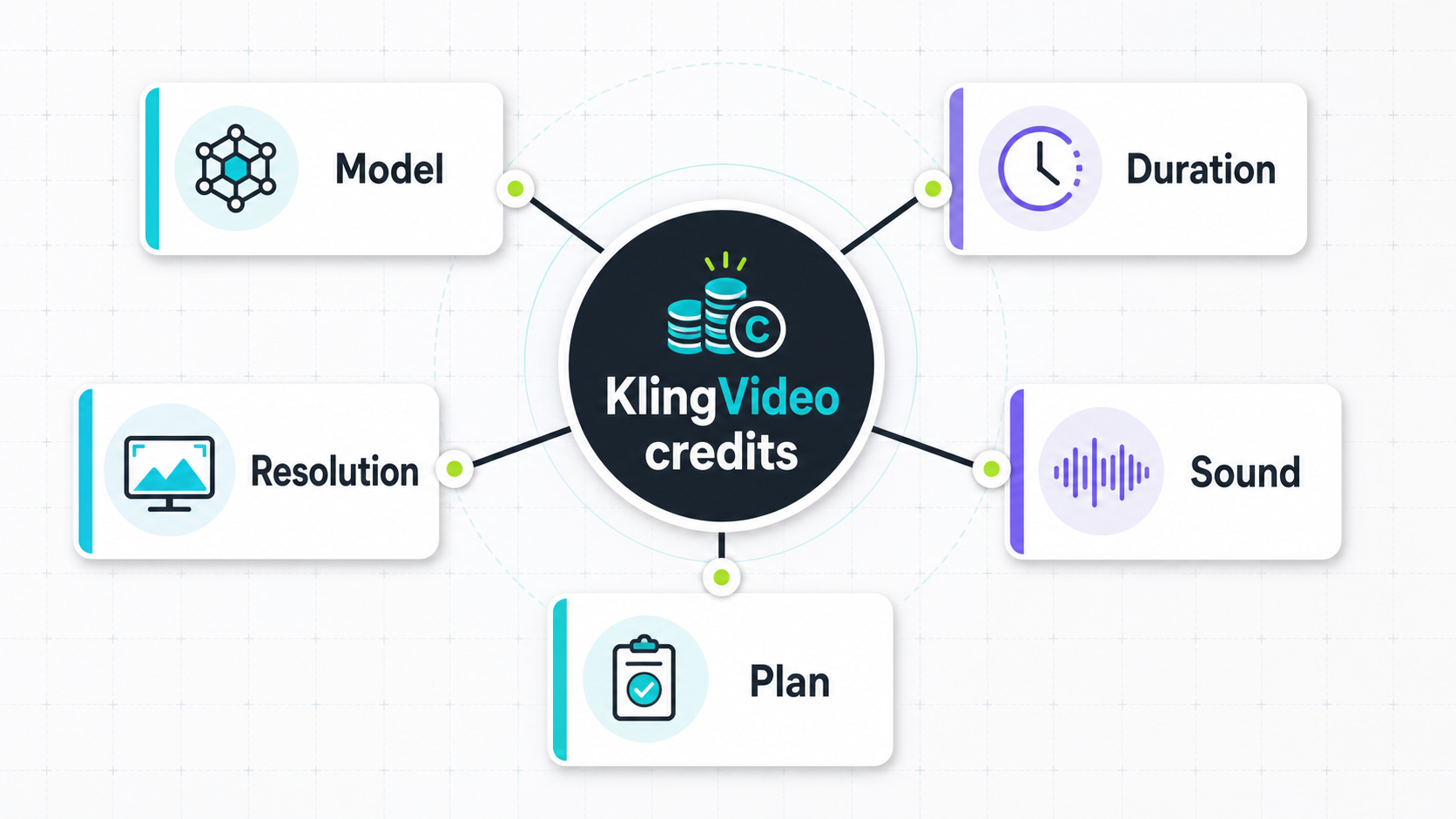
Kling AI credits are the unit KlingVideo uses to charge for generation work. A prompt does not have one fixed price because the job is built from several inputs: the model you choose, the generation mode, clip length, resolution, sound, and the plan discount attached to your account. A short draft at 720p can use far fewer credits than the same idea rendered longer, at 1080p, with sound enabled.
KlingVideo is a third-party access layer for Kling AI video workflows. Kuaishou's official Kling AI platform has its own memberships and credit rules, so do not mix the two price systems. This article explains KlingVideo credits only, using the product configuration and pricing snapshot checked on 2026-07-15.
The safest way to plan is to estimate per job, then check the live pricing page before buying credits or choosing a subscription. Treat every number below as a dated example, not a permanent promise.
How KlingVideo credits are calculated
KlingVideo starts with the underlying model cost for a job, applies the current markup formula, and rounds up to whole credits. The active pricing snapshot used for this article is dated 2026-07-14.
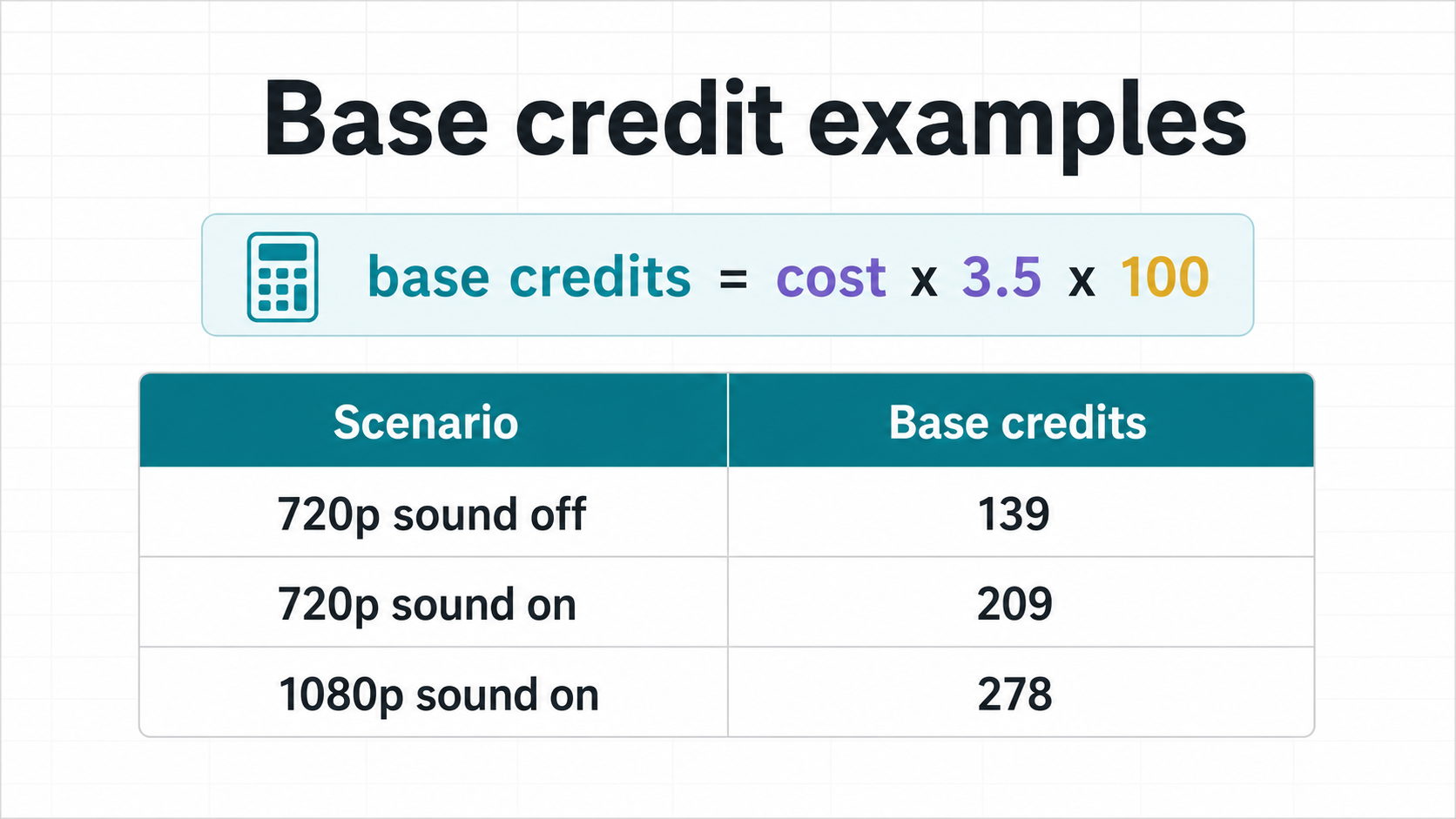
The simplified base formula is:
| Input | Role in the estimate |
|---|---|
| Underlying model cost | The current provider cost for the selected model and settings |
| Markup multiplier | KlingVideo's configured multiplier, 3.5 in the checked snapshot |
| USD to cents | The formula multiplies by 100, then rounds up |
| Plan multiplier | Subscription plans can reduce the final credit charge |
A job must cost at least 1 credit. In normal Kling 3.0 video workflows the numbers are much higher than that, because video jobs consume model capacity by duration and output setting.
Kuaishou's official Kling AI blog describes the same broad cost drivers for its own platform: model, feature, resolution, duration, and workflow can all change credit usage. That source is useful for understanding the category, but it is not a KlingVideo price sheet. See Kling's official Kling Video 3.0 credit cost guide for their own current system.
What changes the credit usage
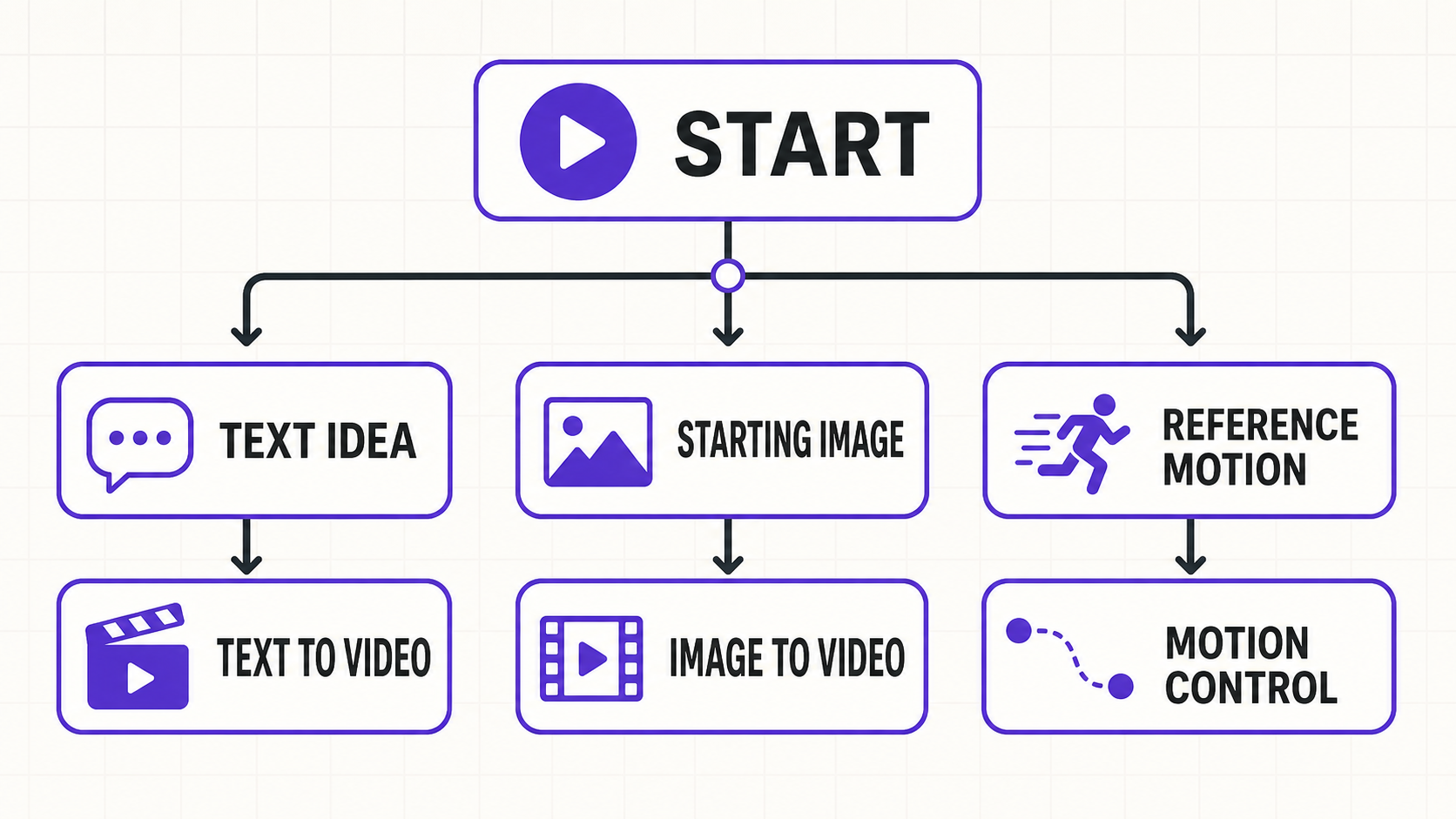
The model is the first lever. A Kling 3.0 text to video job and a Motion Control job are different workflows. They can use different model IDs and different inputs, so their credit estimates are not interchangeable.
Mode matters too. Text to video starts with a prompt. Image to video adds a start image. Video to video and Motion Control workflows add more source material or control signals. More inputs do not automatically mean better output, but they can change the model path used for billing.
Duration is simple: longer clips cost more because the model needs to produce more video. KlingVideo's current Kling 3.0 configuration supports short clips for drafting and longer clips when the idea is ready.
Resolution changes cost because 1080p needs more output work than 720p. Sound also matters. A silent draft can be cheaper than a clip rendered with native audio or sound enabled.
Your plan can change the final charge. In the checked snapshot, Lite reduces model credits by 10%, Pro by 30%, and Premium by 40%. One-time credit packs do not use those monthly plan discounts.
Example estimates from the checked snapshot
These examples use KlingVideo's 2026-07-14 pricing snapshot and the product configuration checked on 2026-07-15. They are meant to show the shape of the math, not to replace the live checkout or pricing page.
| Example job | Base credits | Lite | Pro | Premium |
|---|---|---|---|---|
| Kling 3.0 text to video, 5 seconds, 720p, sound off | 139 | 126 | 98 | 84 |
| Kling 3.0 text to video, 5 seconds, 720p, sound on | 209 | 188 | 146 | 126 |
| Kling 3.0 text to video, 5 seconds, 1080p, sound on | 278 | 251 | 195 | 167 |
| Kling 3.0 image to video, 5 seconds, 720p, sound on | 209 | 188 | 146 | 126 |
| Kling 3.0 Motion Control, 720p | 211 | 190 | 148 | 127 |
| Kling 3.0 Motion Control, 1080p | 281 | 253 | 197 | 169 |
The gap between 139 and 278 credits is the part most people underestimate. It can come from a small setting change, not a completely different prompt. That is why a single answer like "one pack gives you X videos" is usually misleading.
Why fixed generation counts do not work
A fixed generation count sounds useful, but it hides the settings that actually move the number. Two users can buy the same credit pack and get different output volume because one drafts silent 720p clips and the other renders 1080p clips with sound.
This also explains why the pricing page should own plan details, free sign-up credits, and current credit pack terms. A blog post can teach the calculation logic. It should not freeze live pricing into a paragraph that may age badly.
If you only need to test an idea, estimate the cheapest acceptable draft first. If you are preparing a final asset, estimate the final settings separately. Mixing those two budgets is how credits disappear faster than expected.
How to spend fewer credits while testing
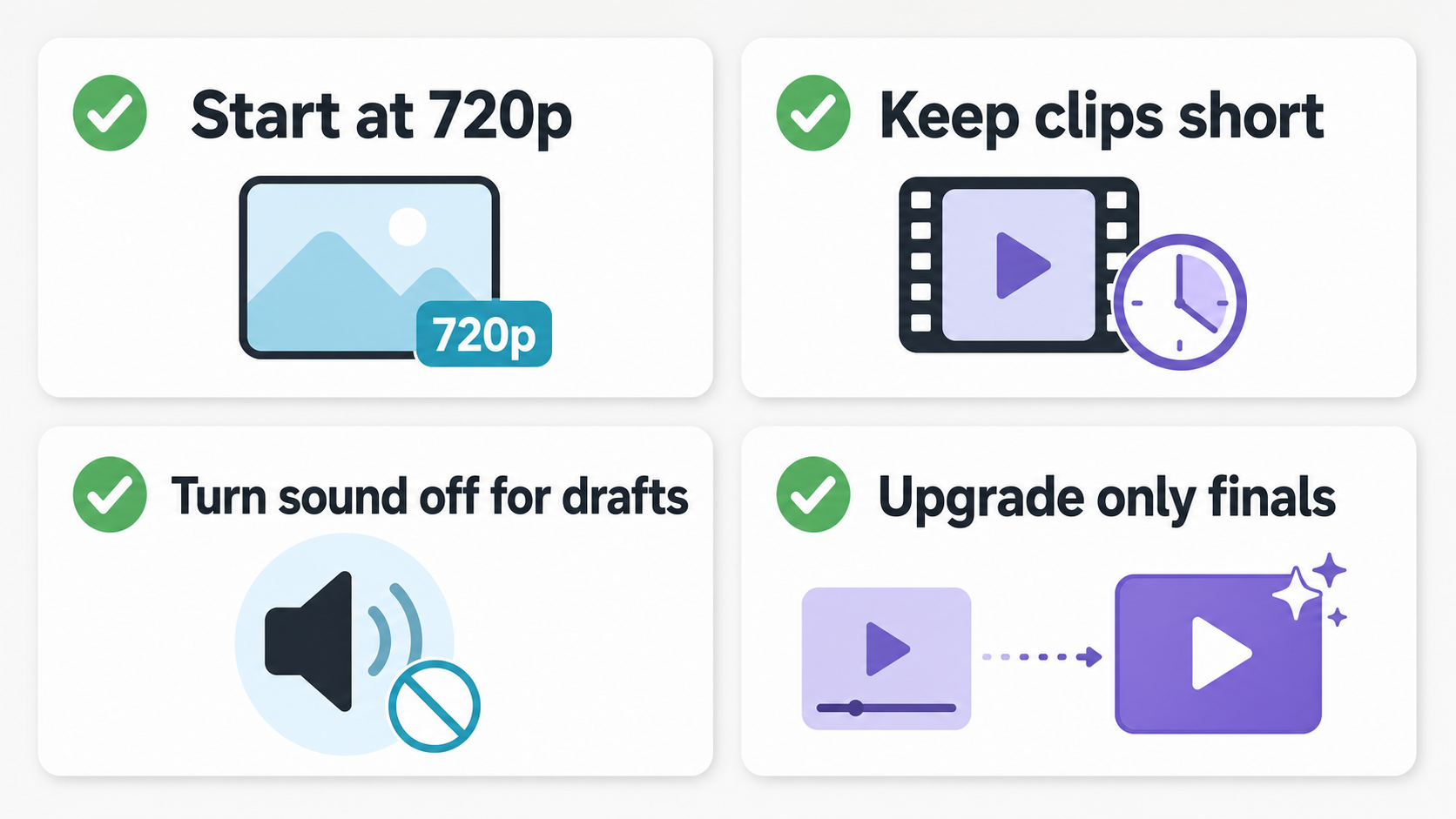
Start with the shortest clip that can answer the creative question. If you are testing motion, composition, or prompt wording, a short 720p draft usually tells you enough.
Turn sound off for early prompt tests when audio is not part of the decision. Sound can be useful, but it should be a deliberate cost, not a default you forget to change.
Move to 1080p after the prompt direction is working. Higher resolution is better for delivery, but it is an expensive way to discover that the prompt was unclear.
Keep one variable stable between tests. Change the prompt, image, duration, or resolution one at a time. Otherwise you may spend credits and still not know what caused the better result.
Use How to Use Kling AI Video Generator for a broader workflow walkthrough before running a large batch.
When to check current pricing
Check current KlingVideo pricing when you are deciding between a one-time pack and a subscription, when you need free credit details, or when you are budgeting for repeated 1080p work. The live page is the source for current plans.
At the time checked, one-time packs were listed as Starter, Creator, Studio, and Max, while monthly subscriptions included Lite, Pro, and Premium. Free access mentioned sign-up credits. This article does not publish an exact free-credit amount because that number belongs on the live pricing page.
For official Kuaishou Kling AI memberships, use Kling AI's own billing pages and posts. Their Basic, Standard, Pro, Premier, and Ultra memberships are separate from KlingVideo's plans.
FAQ
Are Kling AI credits the same on every website?
No. Kling AI is the model family and platform from Kuaishou. KlingVideo is a third-party service with its own credits, plans, and model access. Always read the pricing page for the site where you are generating.
How many credits does one Kling 3.0 video use?
It depends on the settings. In the checked KlingVideo snapshot, a 5 second Kling 3.0 text to video job ranged from 139 base credits for 720p with sound off to 278 base credits for 1080p with sound on.
Do subscriptions reduce credit usage?
They can. In the checked snapshot, Lite, Pro, and Premium applied plan multipliers that reduced model credits by 10%, 30%, and 40%. Check the live pricing page before relying on those discounts.
Should I buy credits or subscribe?
Use a one-time pack if you only need occasional jobs and want a fixed credit balance. Consider a subscription if you generate often and the plan discount offsets the monthly cost. The answer depends on your expected number of jobs and settings.
Where should I start if I am new?
Start with Kling 3.0 and a short text to video draft. If you already have a strong source image, try image to video instead.
Source and verification notes
Last verified: 2026-07-15, Asia/Shanghai.
Internal sources checked: KlingVideo pricing configuration, Kling 3.0 model configuration, live pricing page, and live generator pages.
External source checked: Kuaishou Kling AI's official credit cost guide, published 2026-07-03.
For the current plan list, free sign-up credit terms, and checkout details, use KlingVideo pricing.